
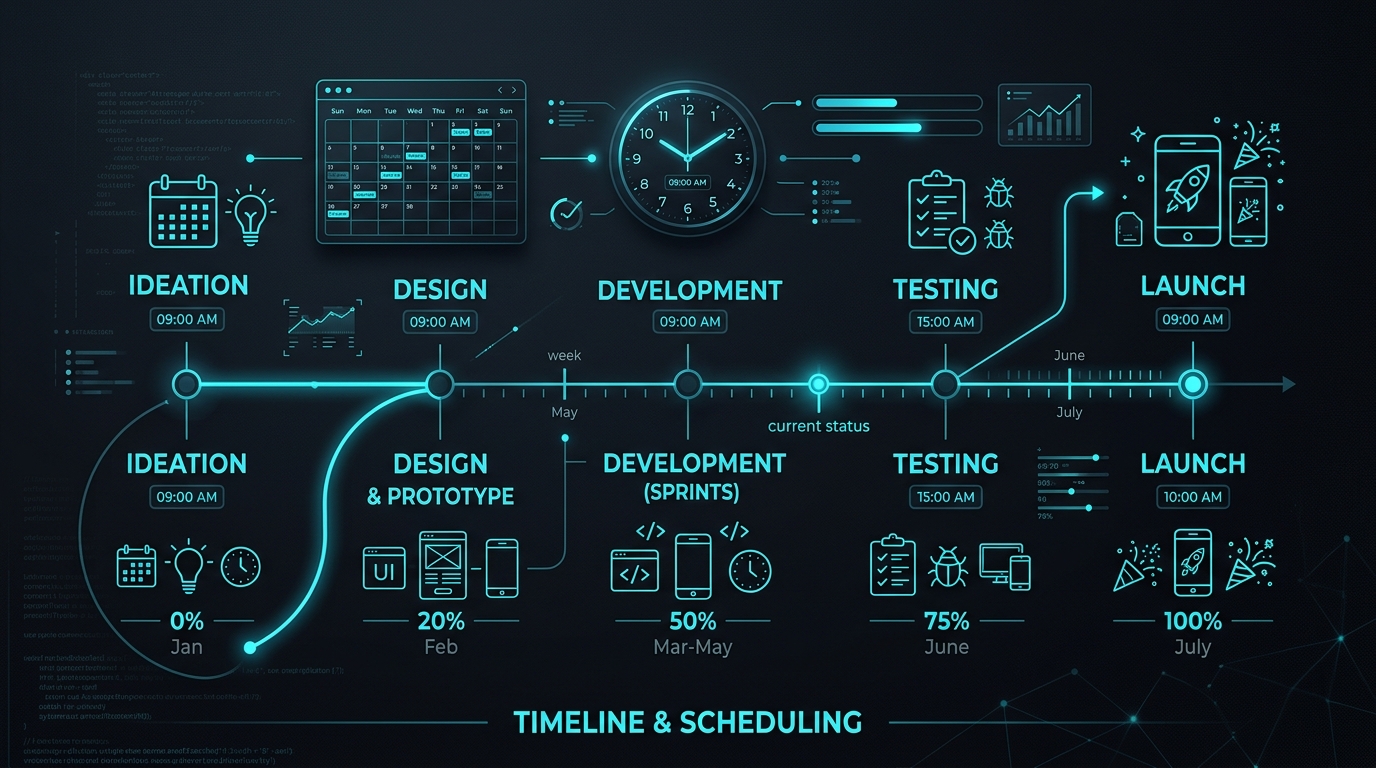
Clients regularly come in expecting a fully functional app in 2 to 3 weeks. This expectation comes from a genuine place, they have seen demos of AI tools building basic apps in minutes, and they have read headlines about startups shipping MVPs in days. The reality of building a production-ready application that real users will depend on is a bit more involved.
A quality mobile app, with proper design, tested code, and a backend that does not fall over the first time 50 people use it at once, takes anywhere from 6 weeks to 6 months. Here is exactly where the time goes and why each phase cannot be rushed without serious consequences.
Phase 1: Planning and Scoping (1 to 2 Weeks)
This is the phase most people want to skip. It feels unproductive because you are not yet building anything visible. But every hour spent in planning saves 3 to 5 hours in development. This is not an exaggeration; it is consistently what the data from project post-mortems shows.
Good scoping means defining the exact feature set for the first version, creating the database schema so the backend team can start setting up infrastructure, mapping out every user flow from onboarding to the core action to account deletion, and deciding on the tech stack in a way that accounts for your future scaling needs. Scope creep, which is adding features mid-development because they were not defined clearly at the start, is the single biggest cause of project overruns. Rushing this phase causes an average 50% increase in total timeline.
Phase 2: Design and UI (2 to 4 Weeks)
Before a single line of production code is written, the app needs to exist as a fully designed prototype in Figma. This is not about making something pretty. It is about making every user interaction decision before those decisions become expensive to change in code.
A standard app has between 20 and 40 unique screens when you account for every state: empty state, loading state, error state, full state, different user roles seeing different views. Every button tap, swipe, and modal needs to be designed and reviewed. A clickable prototype lets you catch UX problems that are invisible in a text description but obvious the moment you try to actually use the app.
"Changing a user flow in Figma takes 10 minutes. Changing the same flow after 4 weeks of development can take 3 days. The design phase is where you make the cheap mistakes."
The design phase is also where you establish the visual system: typography, color palette, spacing, and component styles. Getting this right once means developers can implement screens consistently without making design decisions on the fly.
Phase 3: Core Development (6 to 12 Weeks)
This is the heaviest phase. The timeline here depends directly on the feature list, and it runs in parallel tracks:
- Frontend: Building the actual screens and UI components from the Figma designs. Implementing navigation, animations, and local state management.
- Backend: Setting up the database, building the REST or GraphQL API, implementing authentication, and writing the business logic that enforces your app rules.
- Integrations: Connecting third-party services. Payment gateways like Stripe typically take a full week to integrate correctly including webhook handling. Mapping services, notification systems, and analytics all add time.
"Development time is directly proportional to features. Adding a 'User Chat' feature sounds simple but typically adds 3 to 4 weeks: WebSocket infrastructure, message persistence, read receipts, push notifications for new messages, and handling offline scenarios."
Phase 4: Testing and QA (1 to 2 Weeks)
Quality assurance is the phase that saves you from the nightmare scenario of thousands of users hitting a bug on launch day. Testing involves manual QA on physical devices covering 10 to 15 different device and OS combinations (older Android versions behave very differently from the latest iOS), automated test suites for the backend API, load testing to ensure the server infrastructure holds under realistic concurrent usage, and App Store submission which itself takes 24 to 72 hours for review.
Skipping or compressing QA is the single most common cause of embarrassing post-launch bugs. Every major app launch failure that makes tech news was a QA failure.
The AI Accelerator
The timeline above reflects a traditional development cycle. However, working with a developer who effectively uses AI tools throughout the process can compress this significantly. By automating scaffolding, boilerplate, test generation, and repetitive implementation tasks, it is now realistic to deliver a solid mid-level application in 6 weeks rather than 4 months. Read exactly how this timeline compression works in practice.